AliExpress product videos and images can help you build better product pages, test ad creatives, and show customers how an item actually works. The problem is that AliExpress does not always provide a direct download button, so you may need to use manual methods, browser tools, or supplier-approved files.
In this guide, we’ll cover the safest and most practical ways to download AliExpress videos and images in 2026, plus how to edit and use them properly for your dropshipping store.
Key Takeaways
- AliExpress does not always provide a direct download button for product videos, but you can still save them using manual methods, browser tools, or screen recording.
- Before using AliExpress videos in your store or ads, ask the supplier for permission, especially if the video contains logos, branded products, or watermarks.
- Chrome extensions can make video and image downloads faster, but their availability and features change often, so always check recent reviews before installing one.
- Downloaded videos usually need editing before use. Remove supplier text, watermarks, long intros, low-quality clips, and any claims that may violate ad policies.
- For private label stores, AliExpress videos are better for product testing than long-term branding. Once a product proves demand, custom videos and supplier-approved assets are safer and more professional.
How to Download AliExpress Videos on PC
AliExpress does not restrict its users from downloading images or videos of products in its terms of service.
However, it also does not give you a download button next to the videos to make it easy.
So, here are some methods to help you download videos from AliExpress.
Method #1: Use the Inspect Element
The inspect element method is a quick way to download a video on your PC’s browser. Here’s how to use it:
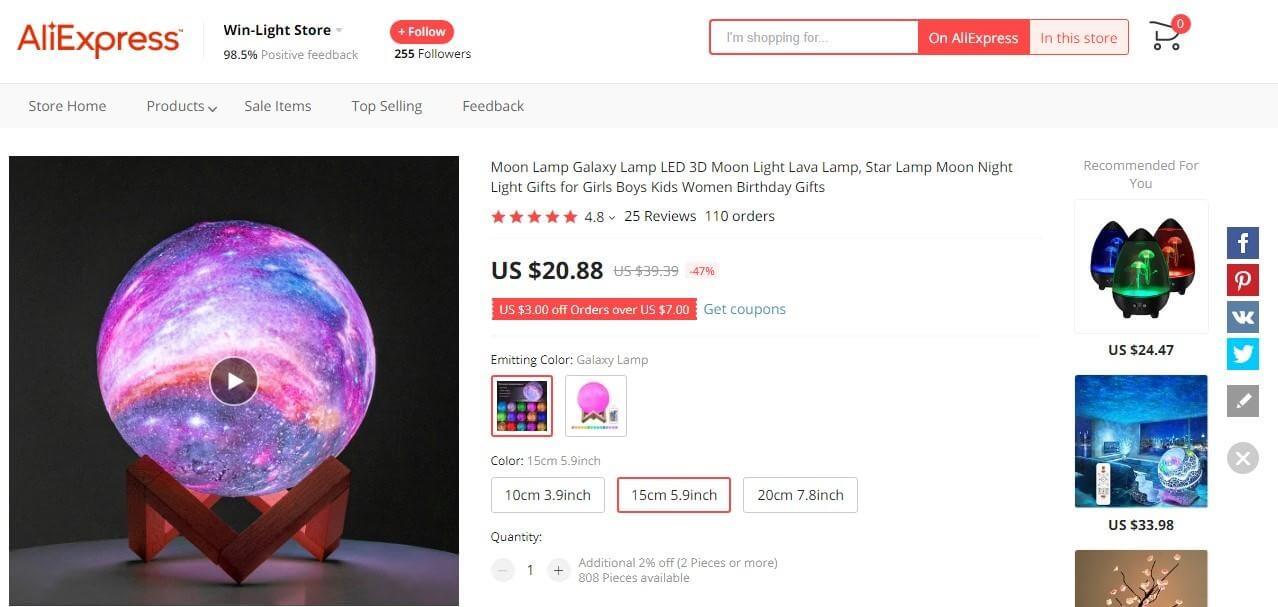
- Access the product page on AliExpress.
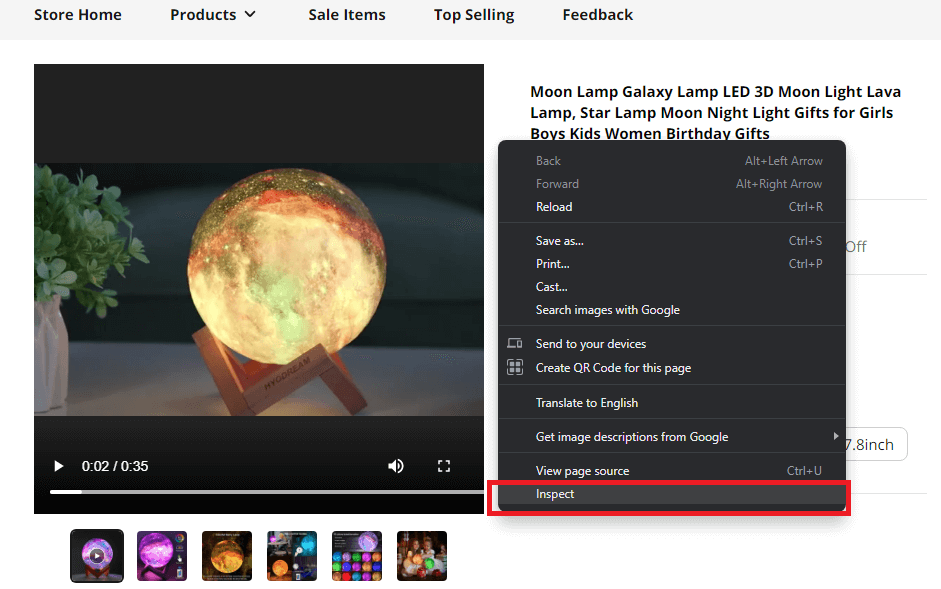
- Right-click anywhere and click on “Inspect”.
- In the side panel, press Ctrl + F from your keyboard and type “mp4” into the search bar.
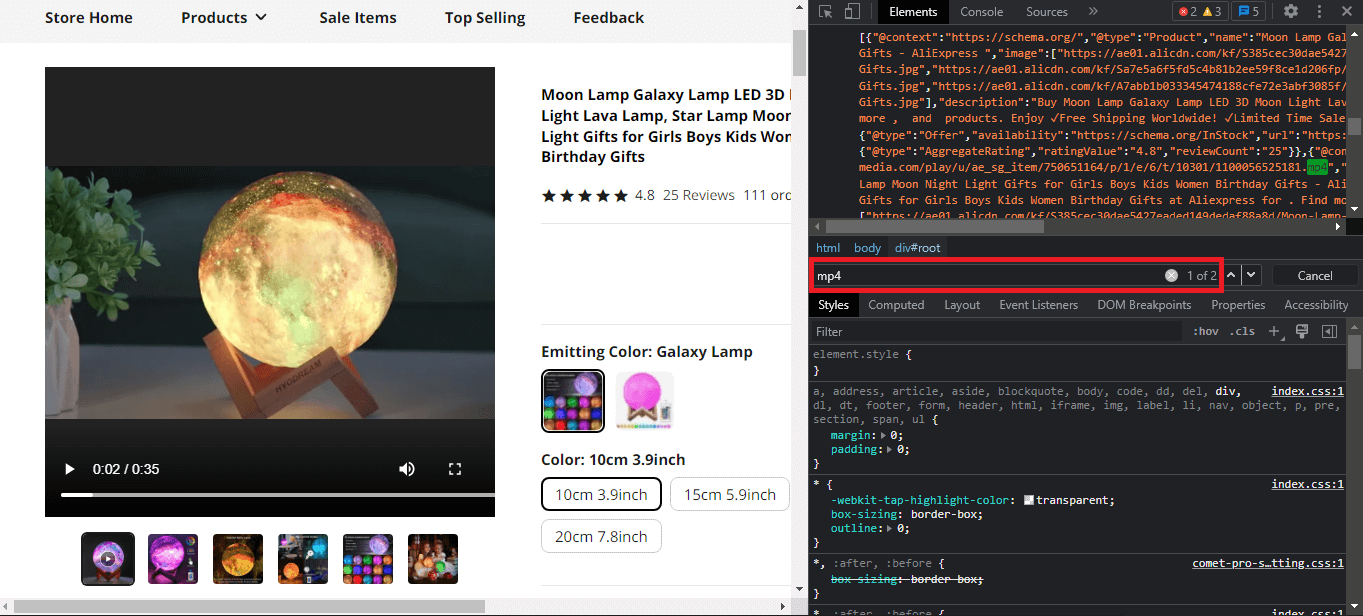
- Search for an mp4 link in the highlighted areas. You can use the arrows to quickly navigate through the results.
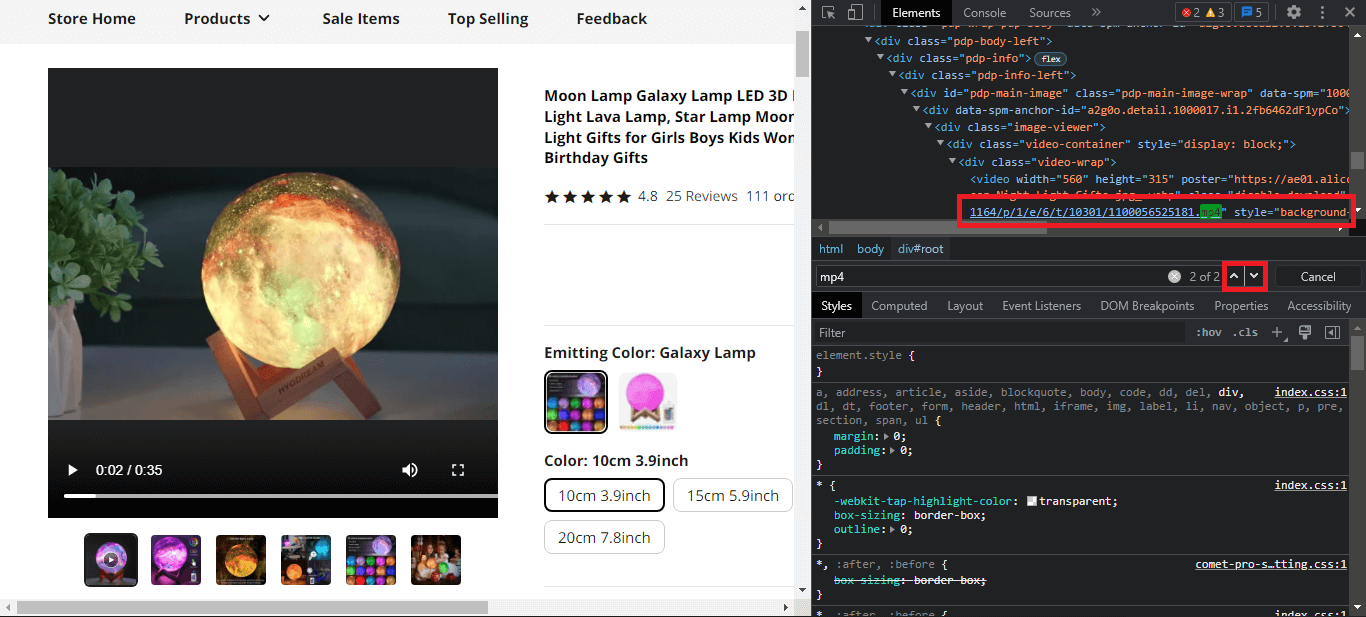
- Once you’ve found the link to your product video, right-click on the link and copy it.
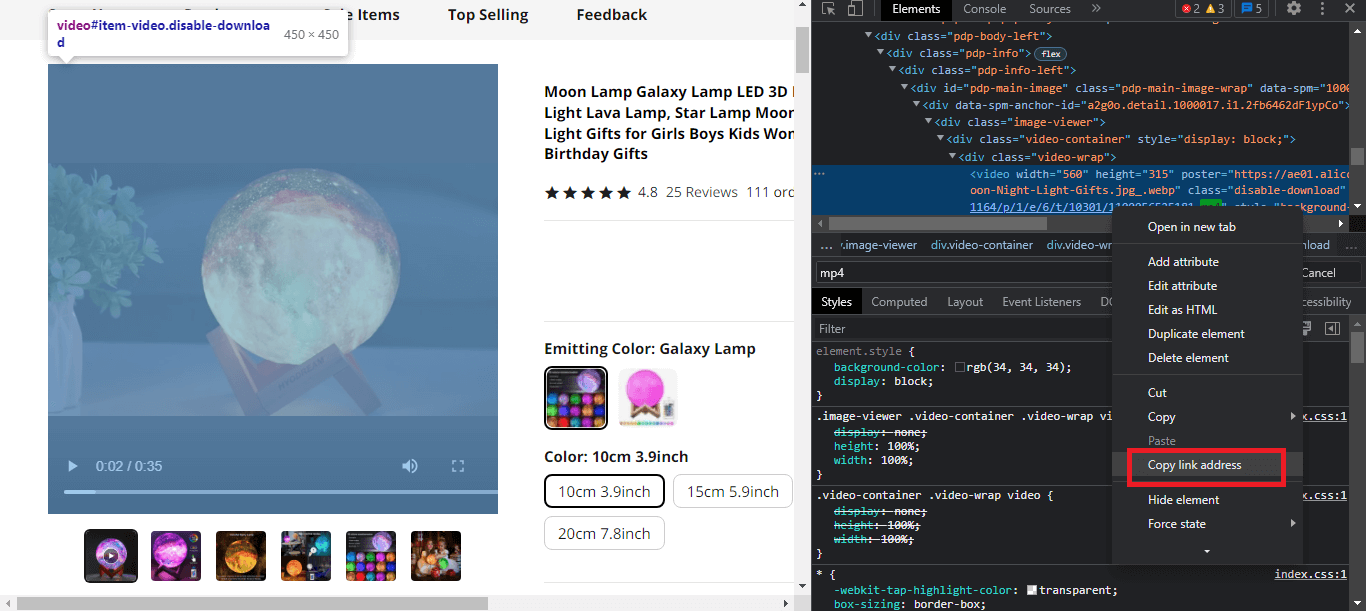
- Paste it into another tab, hit enter, and then click on the three dots at the bottom right. Select the “Download video” button.
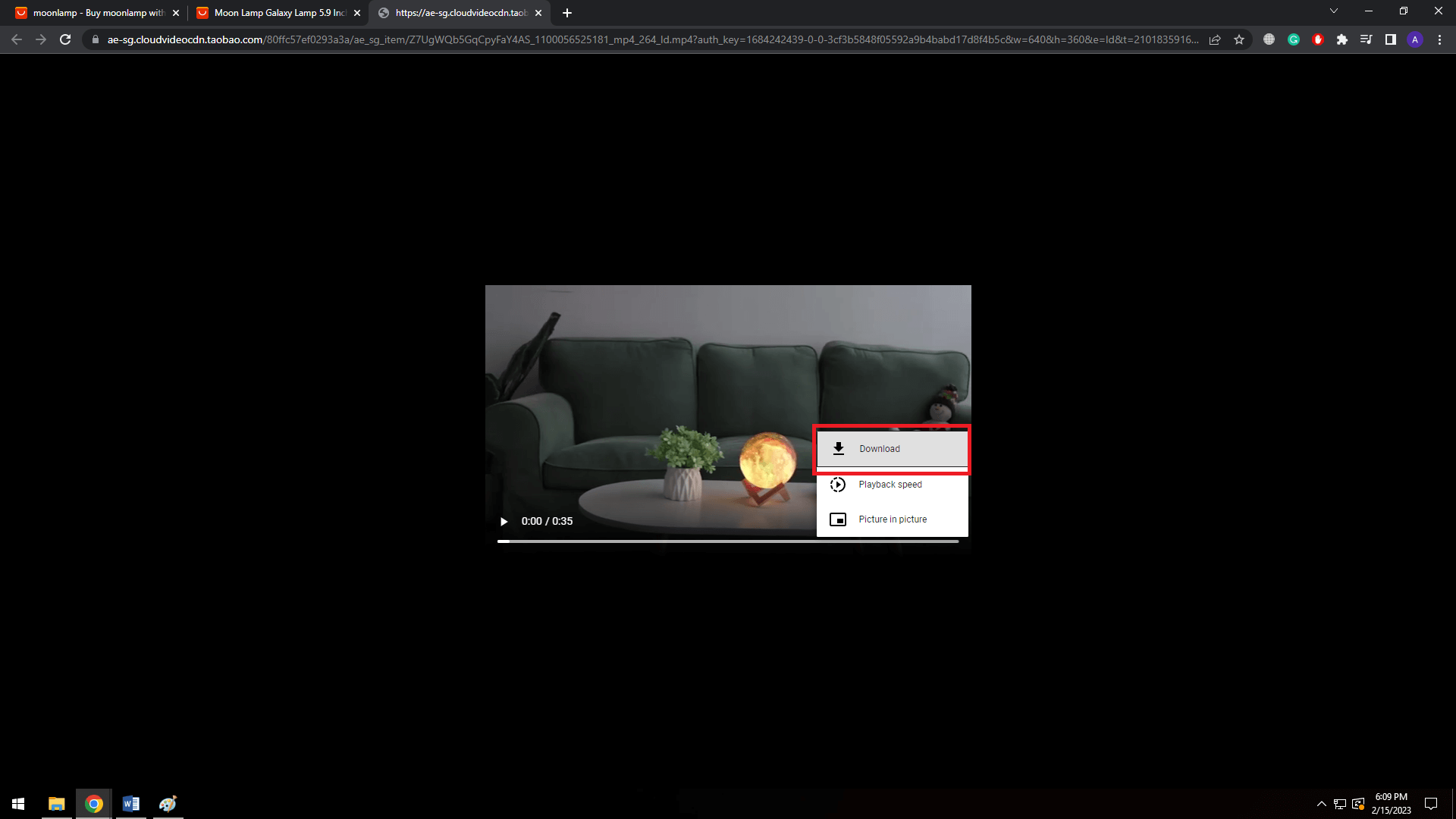
The video will now be downloaded to your PC. This method can get complicated when a single webpage has multiple videos.
It may be difficult to navigate through all the mp4 files before finding the one you need.
In such a case, you can use a Chrome extension to make things easier – which we will cover next.
Method #2: Downloading AliExpress Videos Using Chrome Extensions
You can also use Chrome extensions to download videos from AliExpress. Here are some of them:
1) AliSave Chrome Extension (Paid)
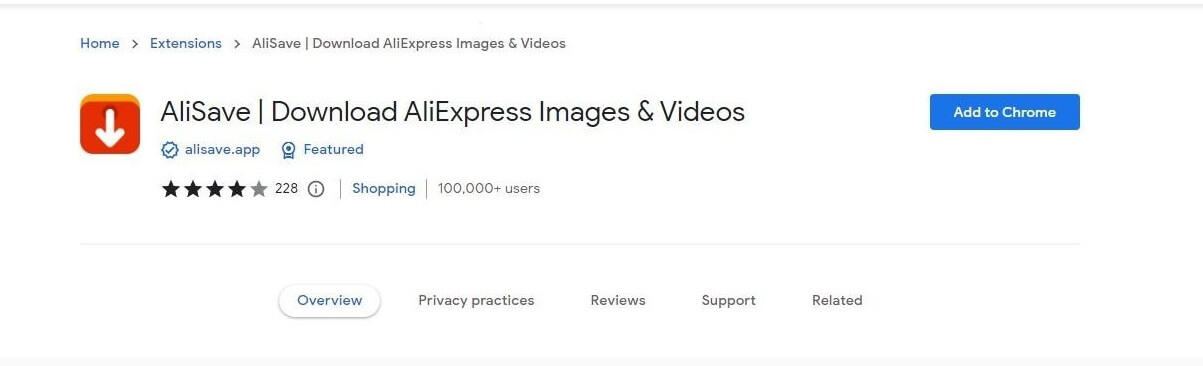
The AliSave Chrome extension is a tool commonly used to download images and videos from AliExpress.
Once you’ve added it, go to the product video on AliExpress you want to download.
Now you’ll see a download button floating on top of images and videos. By clicking it, AliSave will download the image/video in seconds.
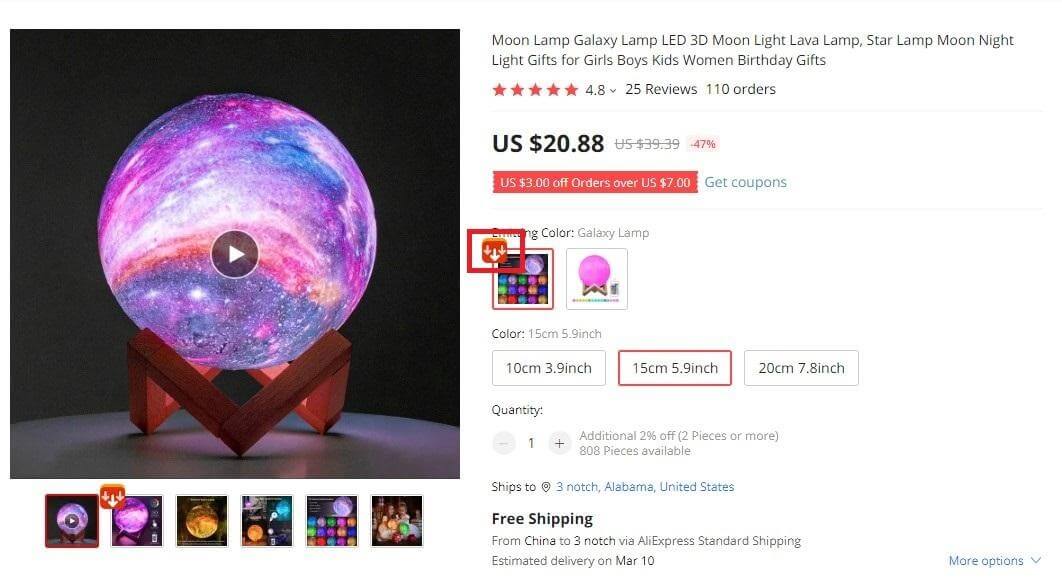
The free version of AliSave allows you to only download high-quality images, whereas the paid version lets you download videos as well.
2) AliDownloader Plus (Free)
The AliDownloader Plus is another chrome extension that lets you download images and videos of AliExpress products.
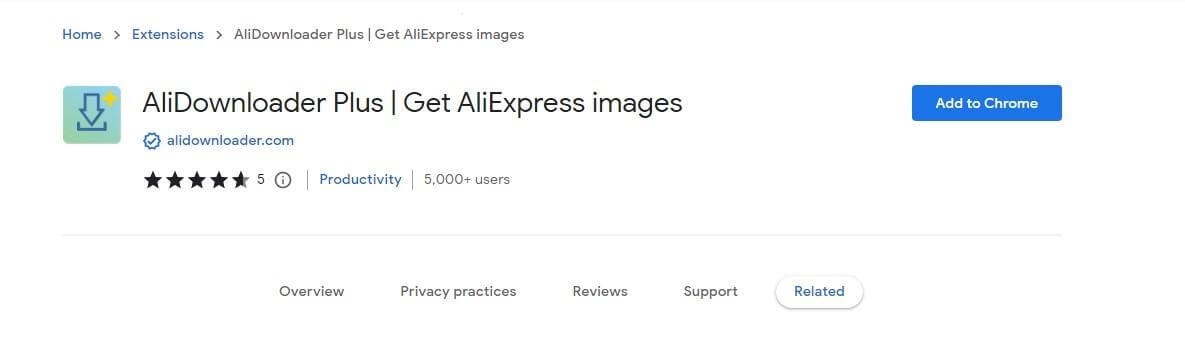
Luckily, this tool is entirely free to use and does not charge a penny for downloading AliExpress videos or images.
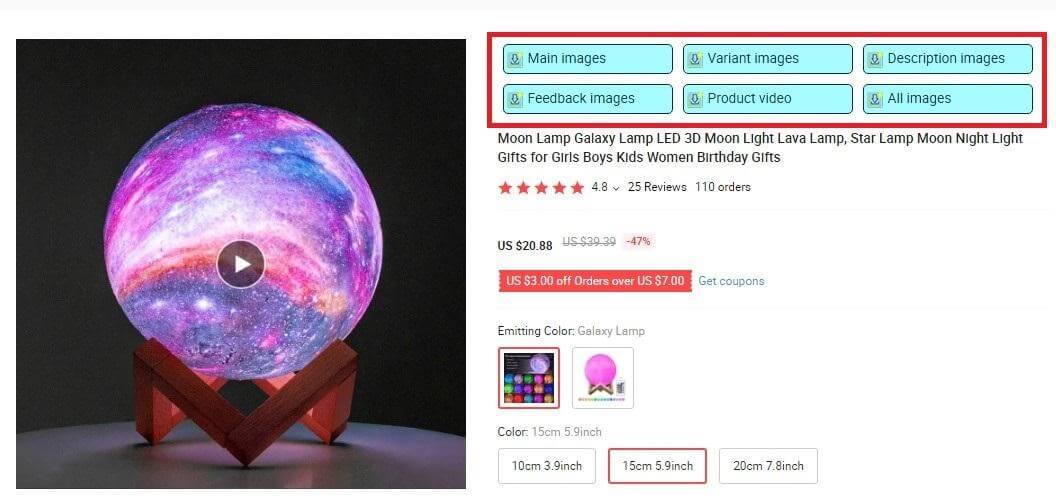
Similar to AliSave, all you have to do is download the extension and access AliExpress.
You’ll be shown a download button for every product’s image and video on AliExpress.
3) Video Downloader Plus (Free)
Video Downloader Plus is a must-have if your product video hunt encompasses AliExpress and other platforms such as Amazon or Alibaba.
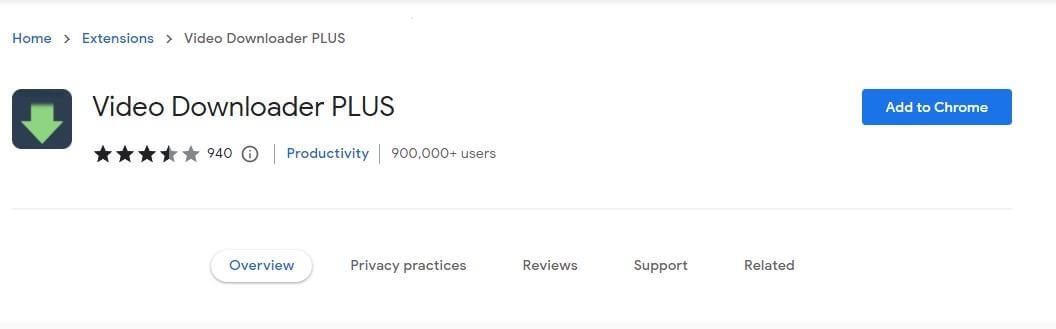
The tool is ideal for downloading videos from almost any website; whether it’s AliExpress, Facebook, or Amazon – VDP covers them all.
The best part is that you can download videos of your preferred format for free.
To use Video Downloader Plus, follow these steps.
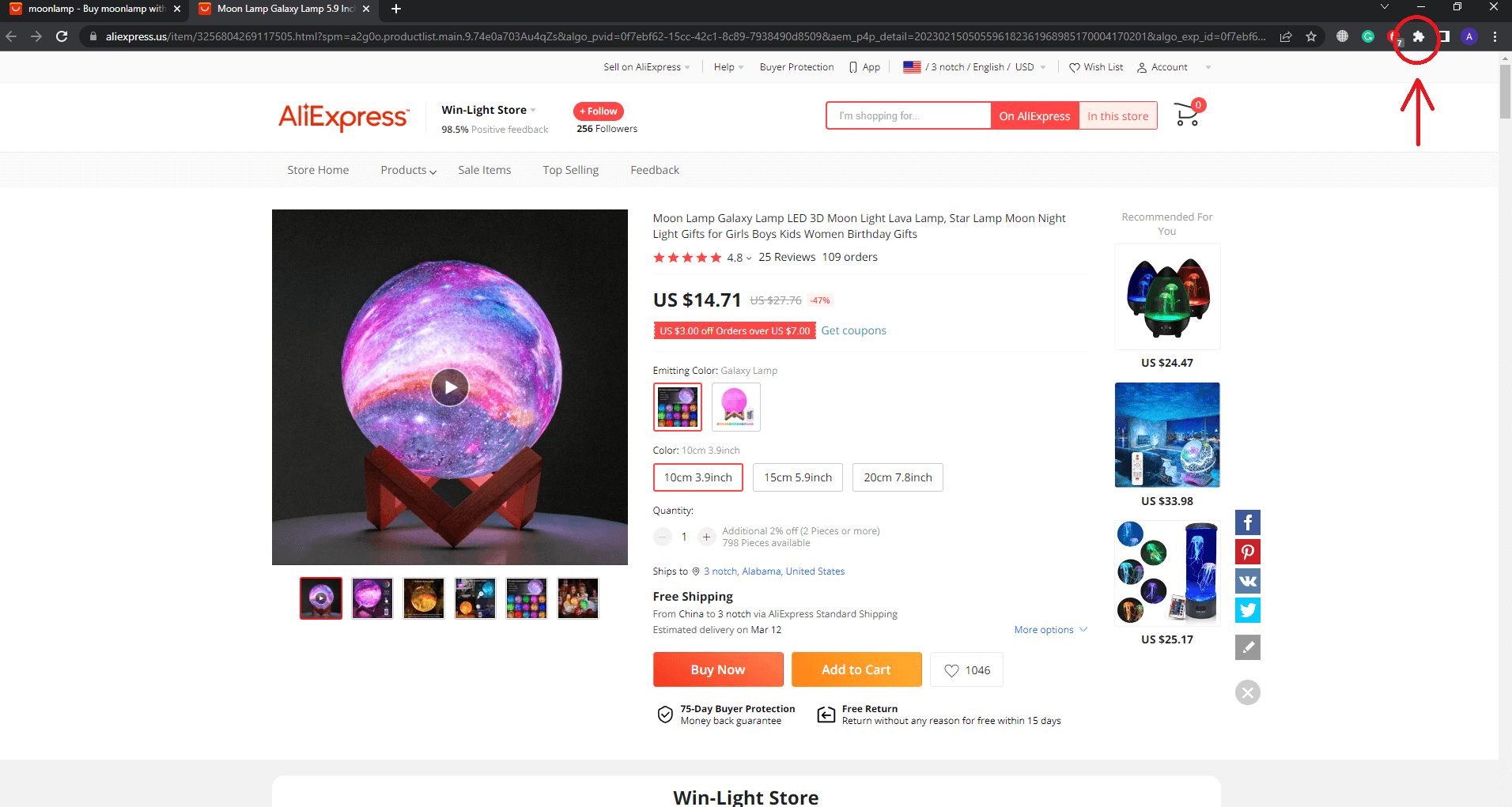
- Go to AliExpress and click on a product with videos.
- On the top right, click on the puzzle icon for extensions.
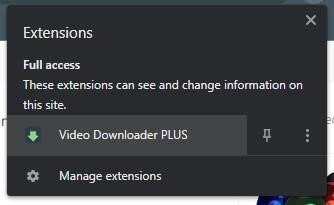
- Select Video Downloader Plus.
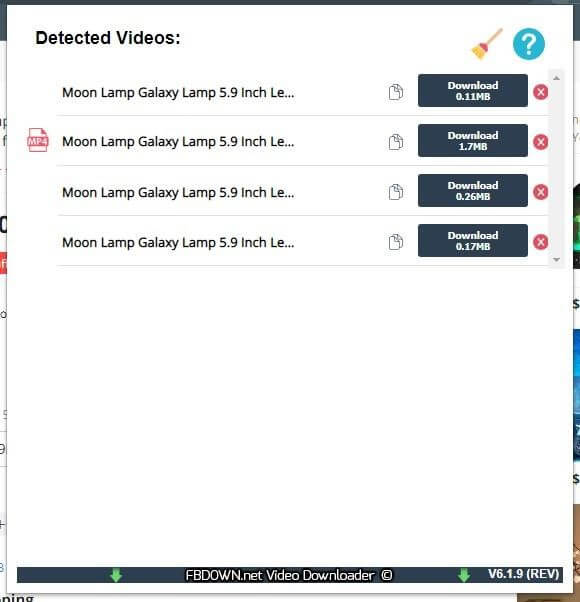
- Download any video you want from the browser’s page.
Method #3: How to Download AliExpress Videos on Android Phone
Unfortunately, there are no ways to download AliExpress videos on an iOS smartphone.
Your best bet is to screen record the product video after playing it in full-screen mode.
However, if you want to download AliExpress videos on your Android phones, then you can follow these steps:
- Access the AliExpress product on your browser.
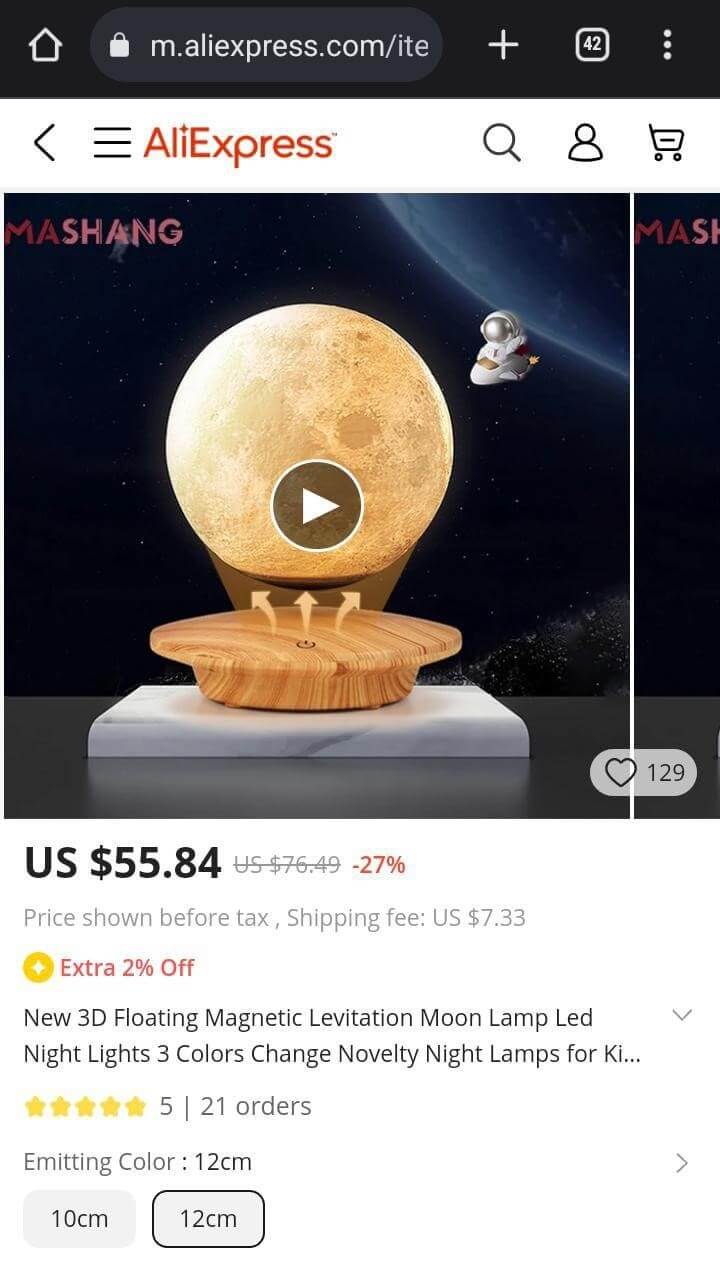
- Play the video you want to download.
- Once it starts playing, click on the three dots located at the bottom right.
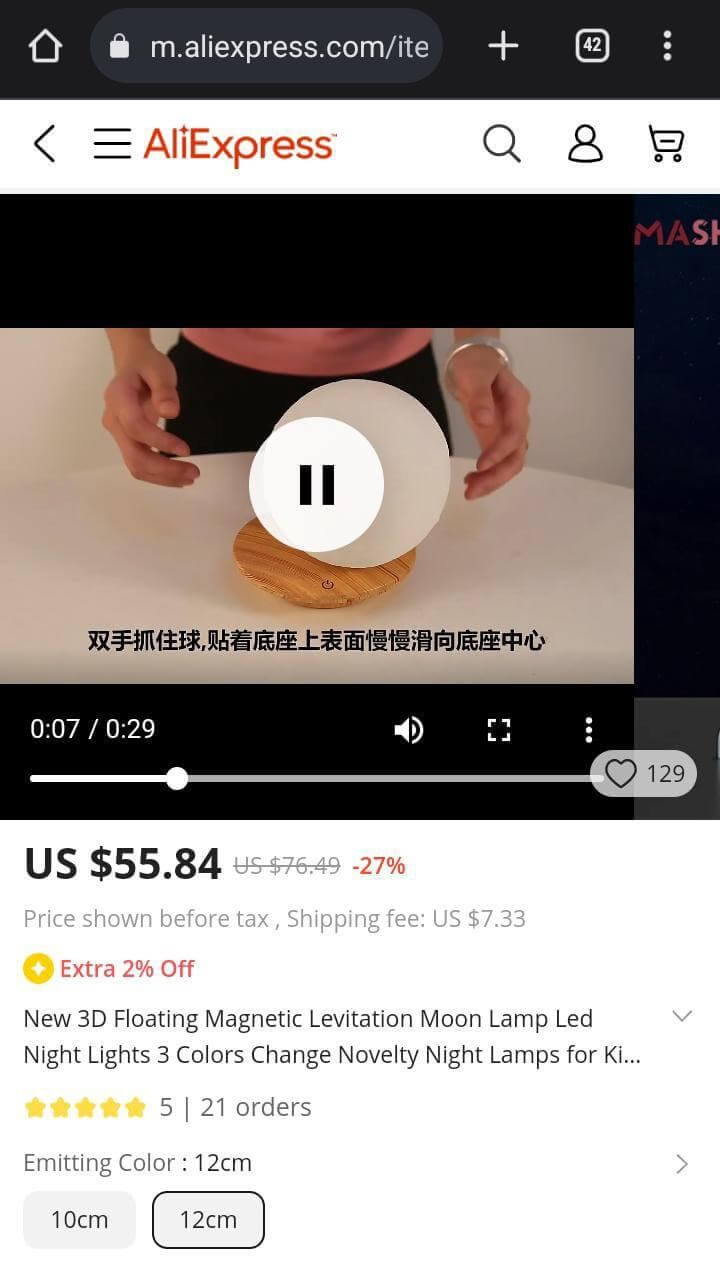
- Now you’ll see the “Download” button pop up. Tap it and the video will begin downloading in the background.
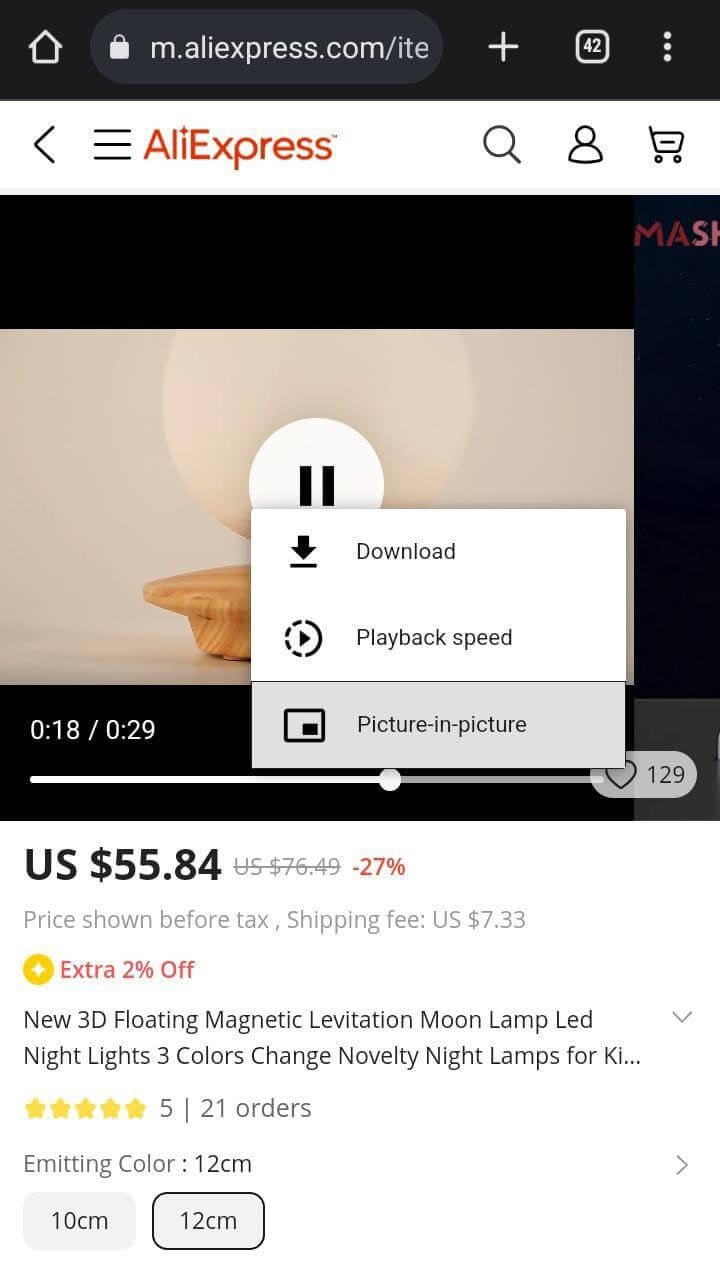
Note that this method only works on the browser. You cannot download AliExpress videos directly from the AliExpress Android application.
If your desired product is on the app, simply copy its URL and paste it into the phone’s browser.
Method #4: Phone Apps to Download AliExpress Videos
Alternatively, you can also use third-party applications to download videos from AliExpress.
Video Downloader is a decent app with its own browser and lets you download videos from the internet for free.
Once you install it, follow these steps:
- Launch the app and paste the URL of the AliExpress product.
- Click on the download button floating at the bottom right.
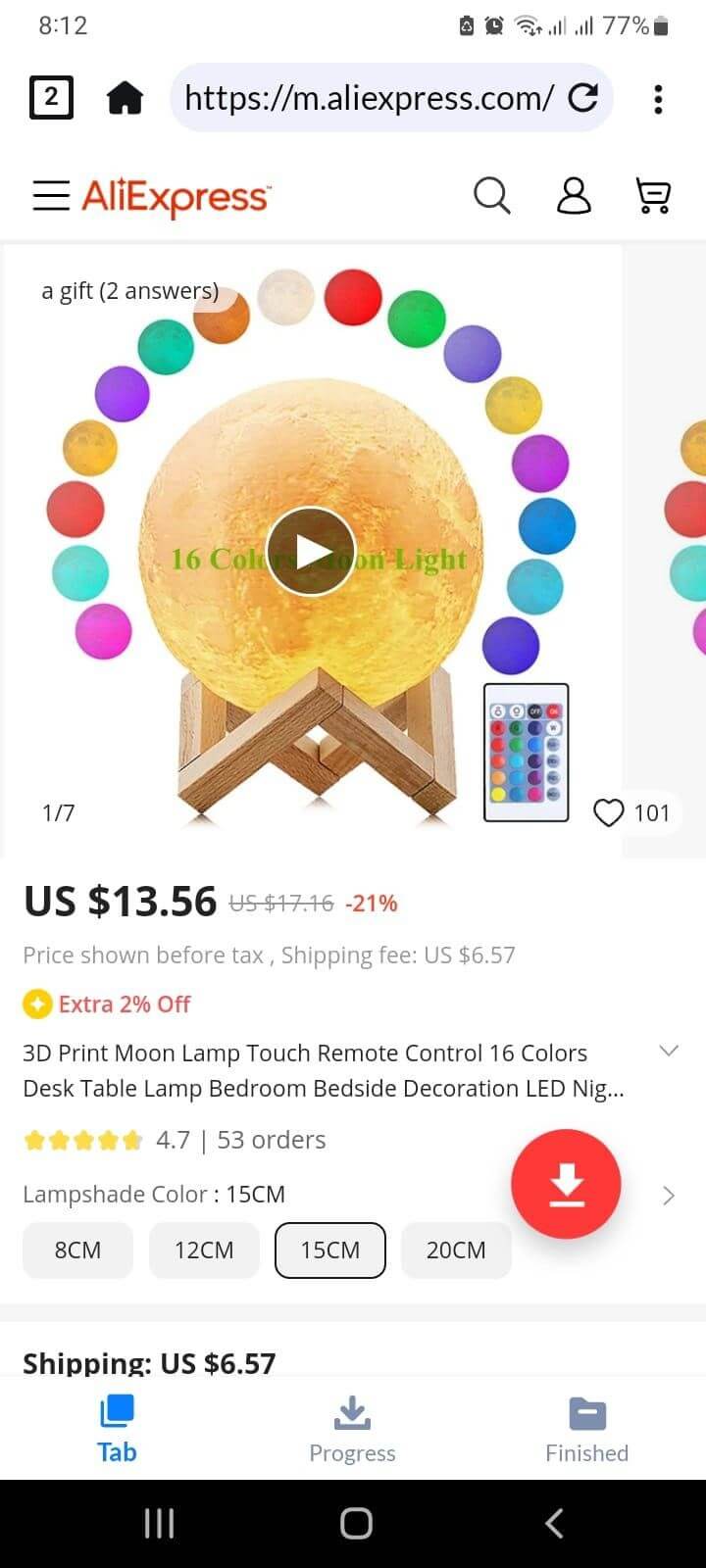
- Video Downloader will now download and save those files on your phone.
Why Dropshippers Need AliExpress Product Videos
Dropshippers need AliExpress product videos because they help customers understand the product faster, support ad testing, and make product pages feel more trustworthy. Since dropshippers usually do not hold inventory, videos can show the product in use before the customer buys it.
Here’s why they matter:
- They show how the product works: Videos are useful for products that need demonstration, such as gadgets, kitchen tools, beauty devices, pet products, fashion accessories, and home improvement items.
- They make product pages more convincing: A short video can show the product’s size, movement, texture, packaging, and main features better than static images alone.
- They help with ad testing: Supplier videos can be used as raw material for TikTok, Instagram Reels, Facebook ads, Pinterest videos, and short product demos. This helps you test hooks, benefits, captions, and angles before investing in custom creative.
- They save time during early product validation: Instead of ordering samples and filming immediately, you can use supplier-provided videos to test whether the product has potential.
However, AliExpress videos should not be uploaded as-is. Many are generic, low-resolution, watermarked, or already used by several sellers. Some may also include supplier logos, Chinese text, copyrighted music, or claims that are not suitable for your store or ad account.
The safer approach is to treat AliExpress videos as starting material. Ask the supplier for permission, remove unnecessary branding, add captions, localize the message for your target market, and make sure the item shown matches the exact product you are selling.
For private label stores, custom videos or supplier-approved footage are usually better for long-term branding.
Is It Legal to Download and Use Product Videos from AliExpress?
Downloading and using AliExpress videos is legal as long as the videos do not have a copyright or watermark.
If the supplier has a claim to the video, we do not recommend downloading and using it as your own for marketing purposes.
Even though the chances are low, you can still get in legal trouble due to copyright issues somewhere down the lane.
In the worst-case scenario, uploading copyrighted videos on social media platforms can lead to account suspensions.
The right approach would be personally reaching out to the seller and requesting permission to use their product video.
This is important, especially if you’re planning to use a video of branded products.
On the other hand, unbranded product videos can normally be downloaded and used as your own without any trouble.
How to Use Downloaded Videos for Your Store & Ads
Downloaded AliExpress videos should be treated as raw material, not finished marketing content. Before using them on your store or in ads, edit the video so it looks cleaner, matches your brand, and does not include supplier logos, watermarks, or misleading claims.
Here’s how dropshippers can use them effectively:
- Add videos to product pages: Use short clips to show how the product works, how big it is, what comes in the package, and what problem it solves. This is especially useful for products that need demonstration.
- Create short ad creatives: Cut the video into quick 6–15 second clips for TikTok, Instagram Reels, Facebook ads, YouTube Shorts, or Pinterest. Start with the strongest visual first instead of a slow intro.
- Add captions and benefit text: Many users watch videos without sound, so add simple captions that explain the main benefit, feature, or use case. Keep the text clear and easy to read on mobile.
- Localize the video for your audience: If you target the USA, India, or another market, adjust the language, currency, sizing terms, and examples so the video feels relevant to that audience.
- Remove anything that hurts trust: Cut out supplier watermarks, Chinese text, unrelated logos, low-quality clips, copyrighted music, and exaggerated claims. These details can make your store look less professional.
- Match the video to the exact product variation: Make sure the color, size, model, and accessories shown in the video match the item you are selling. A mismatch can lead to complaints, refunds, and chargebacks.
For paid ads, be extra careful. Platforms like Meta and TikTok may reject videos that include misleading claims, copyrighted music, before-and-after exaggerations, or branded products you do not have permission to promote.
For private label stores, use AliExpress videos mainly for testing. Once a product starts getting sales, request supplier-approved footage, order samples, or create custom product videos. This helps your store look more original and reduces the risk of using the same video as dozens of other sellers.
Troubleshooting Common Download Issues
AliExpress video downloads can fail because product pages load media in different ways. Some videos are easy to find as MP4 files, while others are embedded, compressed, hidden behind scripts, or blocked by browser and extension changes.
Why Can’t I Find the MP4 Link?
If you cannot find an MP4 link through Inspect Element, the video may be loaded dynamically after the page opens. Try refreshing the page with the Network tab open, then play the video and search for terms like mp4, media, or video.
If nothing appears, use a Chrome extension or ask the supplier for the original video file.
This usually happens when AliExpress changes its page layout or the extension has not been updated. It can also happen if the product page does not actually contain a downloadable video.
Try these fixes:
- Refresh the product page
- Disable other extensions temporarily
- Check extension permissions
- Update or reinstall the extension
- Test the extension on another AliExpress product page
If the tool still does not work, use the manual method or switch to another trusted extension.
Why Is the Downloaded Video Low Quality?
AliExpress often serves compressed product videos, especially on mobile or slower connections. The downloaded file may also be lower quality than the supplier’s original footage.
For store pages or ads, ask the supplier for the original video file whenever possible. This is usually better than stretching or reusing a blurry downloaded clip.
Why Is There No Sound in the Video?
Some AliExpress product videos are uploaded without sound, while others may use muted or separated audio. If the downloaded video has no sound, add your own royalty-free music, voiceover, or captions during editing.
Avoid reusing copyrighted music from supplier videos, especially for TikTok, Meta, or YouTube ads.
What If Nothing Works?
If manual download, extensions, and mobile download methods all fail, use screen recording as a fallback. Play the video in full screen, record it, then trim and clean the file before using it.
For serious product launches, the better option is to contact the supplier. Ask for the original product video, image pack, and permission to use the media in your store or ads.
Final Thoughts
It is proven that product videos convert more than product images and written copy.
Using product videos is a great way of story-telling and helping your audience make smart buying decisions.
In this read, we went through the different methods of downloading AliExpress videos and discussed some key characteristics of an ideal product video.
But what’s the point of downloading product videos if you can’t source high-quality products to support your claims?
Fortunately, this is where NicheDropshipping comes to the rescue.
Our dedicated agents can help you source all your desired products at competitive prices.
So what are you waiting for? Submit a sourcing request and take the first step of growing your business!
FAQs about Downloading Videos from AliExpress
Should I Use Videos from AliExpress?
There’s no harm in using product videos from AliExpress.
However, if you’re looking to build a brand of your own, using product videos of other stores would not be the best option.
Instead, invest in making an original product video and make yourself stand out in front of your competitors.
How Do I Search for a Video on AliExpress?
If you want to search for a product video on AliExpress, enter the product’s name into the search bar and browse the catalog of the first few products.
You’ll surely find the product video you’re looking for.
For a more specific video, consider using Google or YouTube.
How to Get Good Videos for a Product?
The best way to get a good product video is by creating it yourself.
However, if you cannot do that, hire a videographer for this task. A professional will craft a fine piece of visual marketing for your audience.
Alternatively, you can spend some time browsing YouTube, Google Videos, or AliExpress for product videos.
Just make sure to use the right keywords while searching.
How to Ask Supplier Permission to Use their Video?
Suppliers on AliExpress usually do not mind giving permission for using their videos, especially if you’re doing AliExpress dropshipping.
Simply drop them a message on the platform and let them know your intentions.
If they don’t respond, it’s probably because they don’t mind.
Either way, you’re unlikely to get into trouble unless you use a video of a branded product.